Eat It
Eat It — a conceptual iOS application designed to simplify restaurant discovery, searching process and table reservations for city dwellers. Instead of juggling multiple platforms or making phone calls, users can search, compare, and reserve in one place.
Industry
Self-initiated concept · Mentorship
Scope of work
UI/UX Designer (solo project)
Duration
User research, user flows, wireframes, high-fidelity prototype, design system


Challanges
Booking a table today often feels unreliable. Users juggle Google searches, restaurant websites, and phone calls—yet still can't confirm if a table is actually available at their desired time. Phone reservations depend on business hours and staff availability, while online information is often outdated or incomplete.
This lack of a centralized, real-time booking system leads to errors, missed reservations, and user frustration. It also directly impacts restaurants through lost bookings, no-shows, and operational confusion during peak hours.
As a result, users experience:
Unclear or hidden availability
Time wasted switching between platforms
Inaccurate phone reservations
No single place for discovery and booking
Goals


Competitors
Strengths
mainly user-friendly, intuitive interface
features for convenient search, evaluation and booking
availability of loyalty systems and personalization
cooperation with other services
Weaknesses
cluttered interfaces with weak visual hierarchy
availability hidden behind multiple clicks
lack of breathing space ("air") in layouts
incomplete details — forces users to hunt for menus and photos on external sites or social media.
lack of spatial context — users book "blindly" without seeing the restaurant layout or table locations.
Analyzing similar applications allowed me to benchmark core features and integrate proven user patterns into the final design to ensure a competitive edge. Comparison table

User Research
Research Kit
To validate the problem and better understand user needs, I conducted:
Target audience analysis
8 user interviews focused on booking behavior and pain points
Value Proposition Canvas to map user jobs, pains, and gains
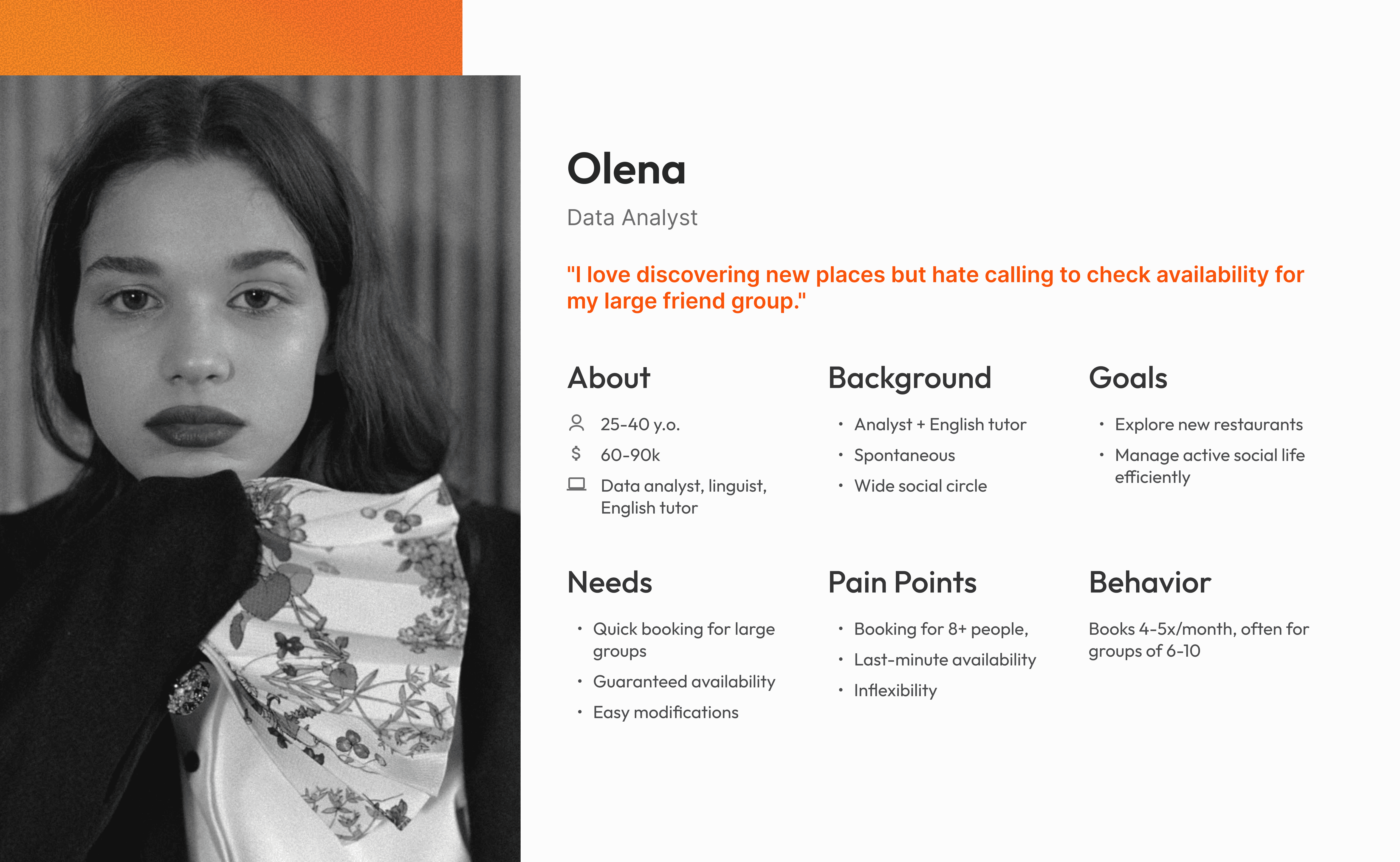
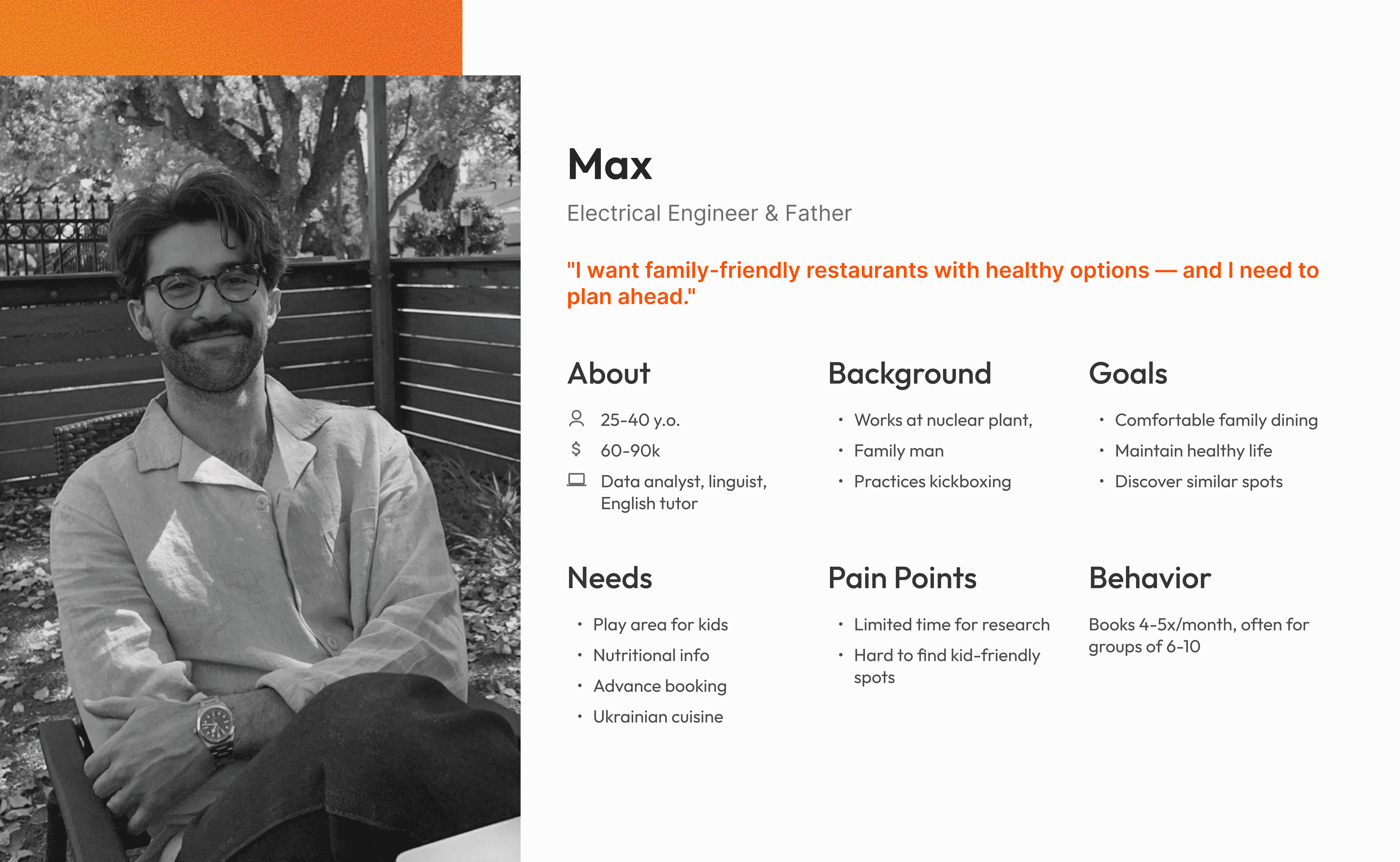
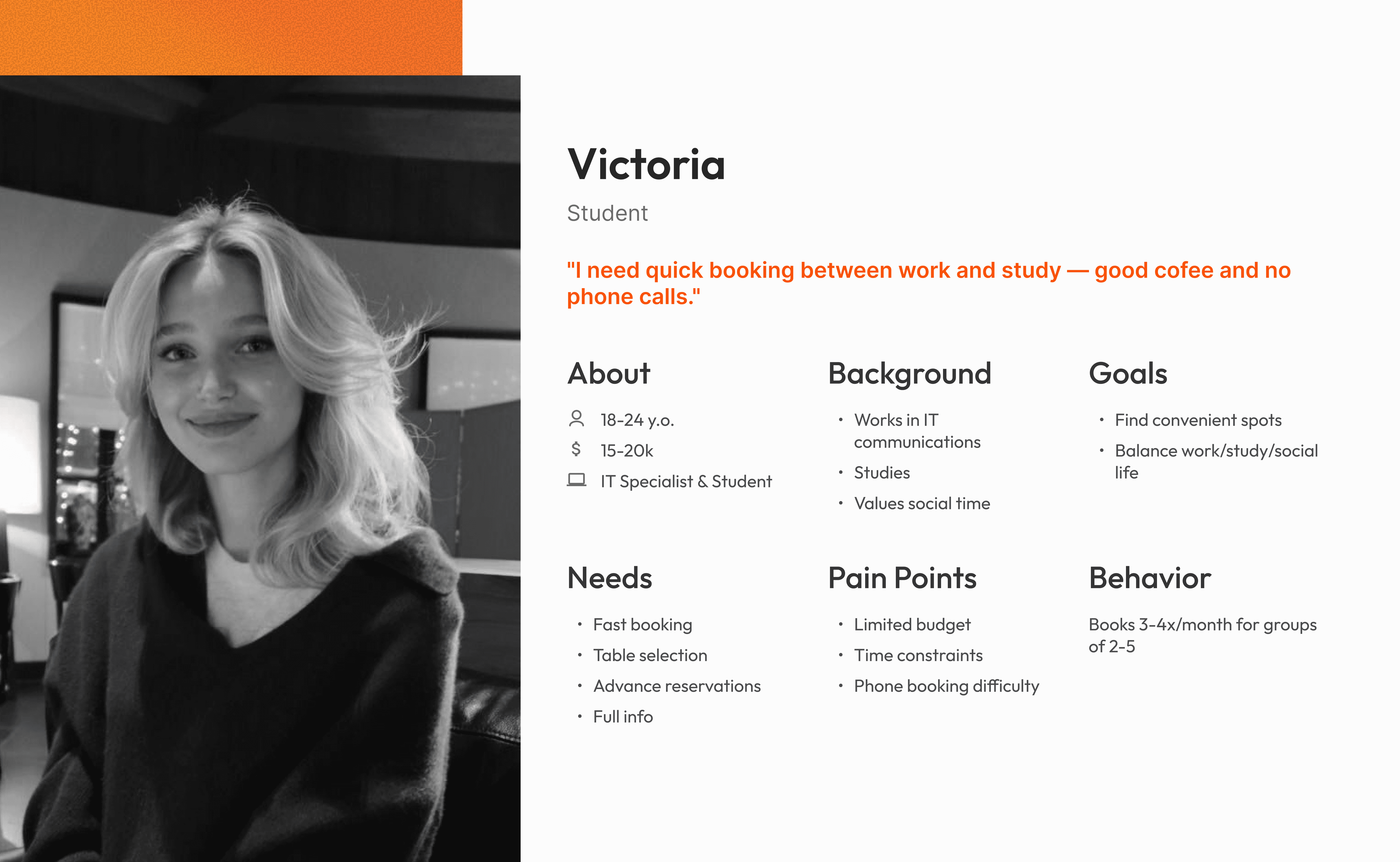
3 detailed personas representing primary user groups
Target Audience
Urban diners aged 18-40 who:
Book restaurants 2-4 times per month
Value convenience and speed over price
Are comfortable with mobile apps
Struggle with fragmented booking processes
Plan visits in advance or frequently discover new restaurants
Value Proposition Canvas
Design Solution
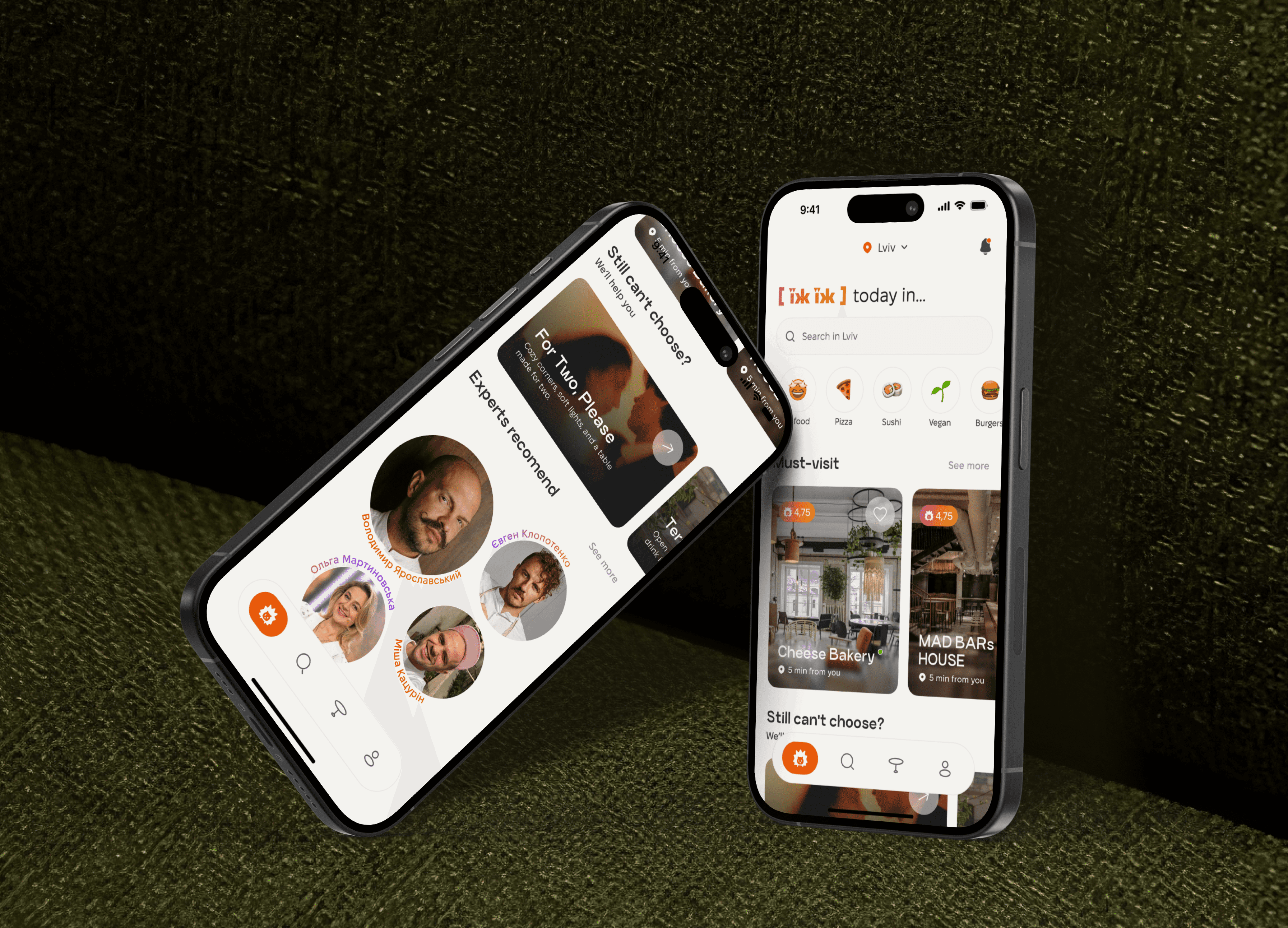
Navigation & Information Hierarchy
Personalized Discovery & Guided Choice
Advanced Filtering & Search
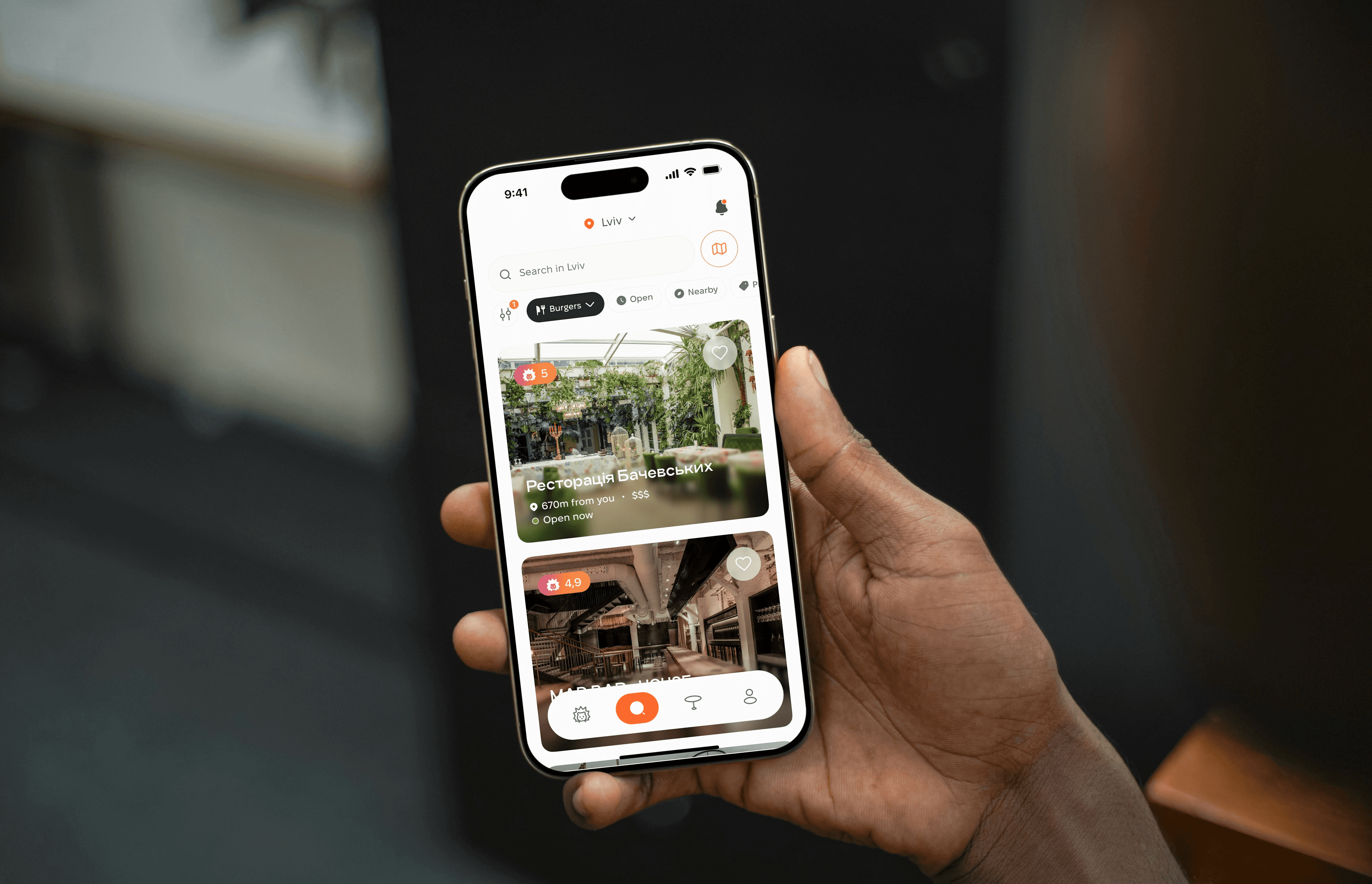
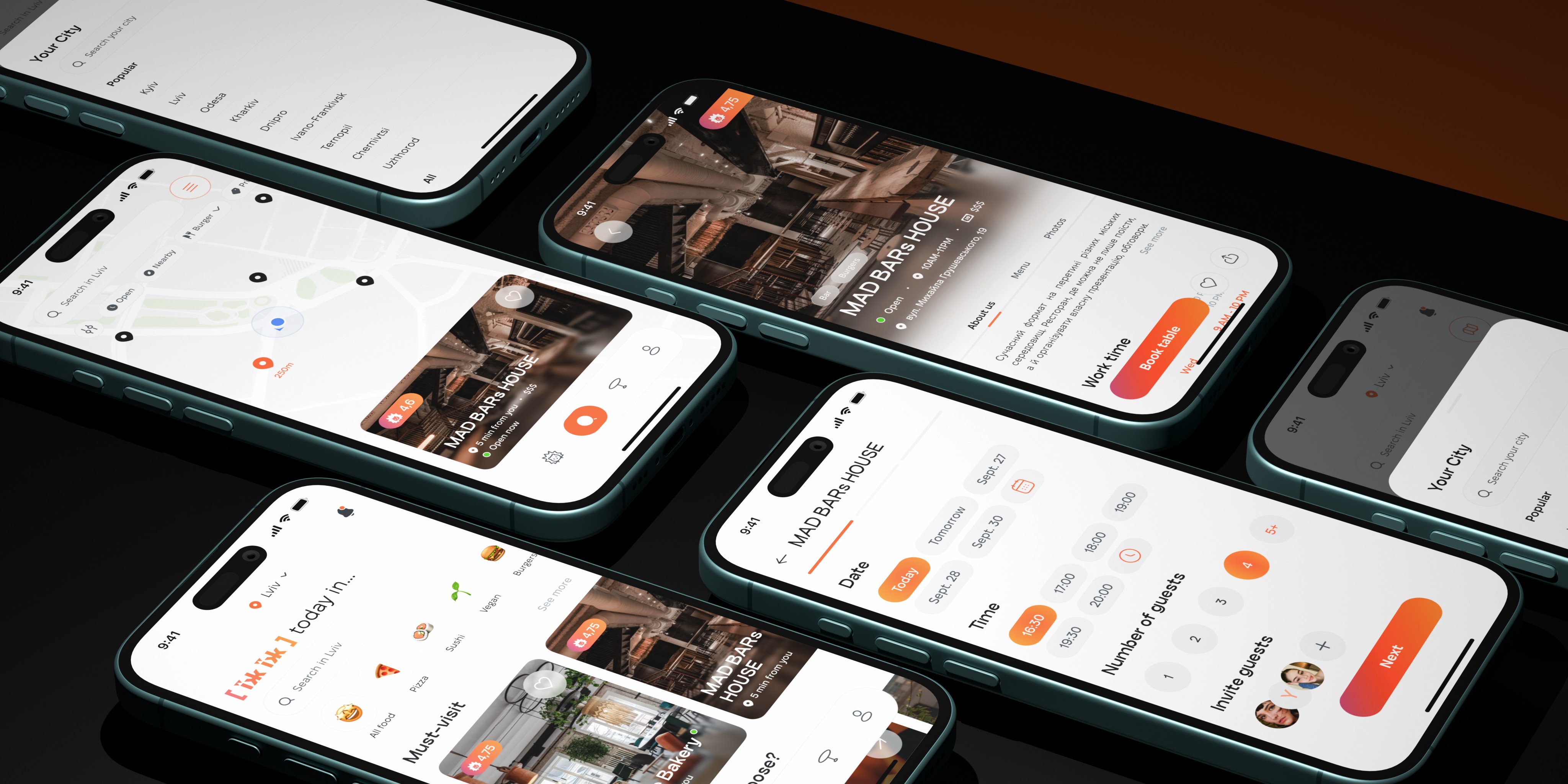
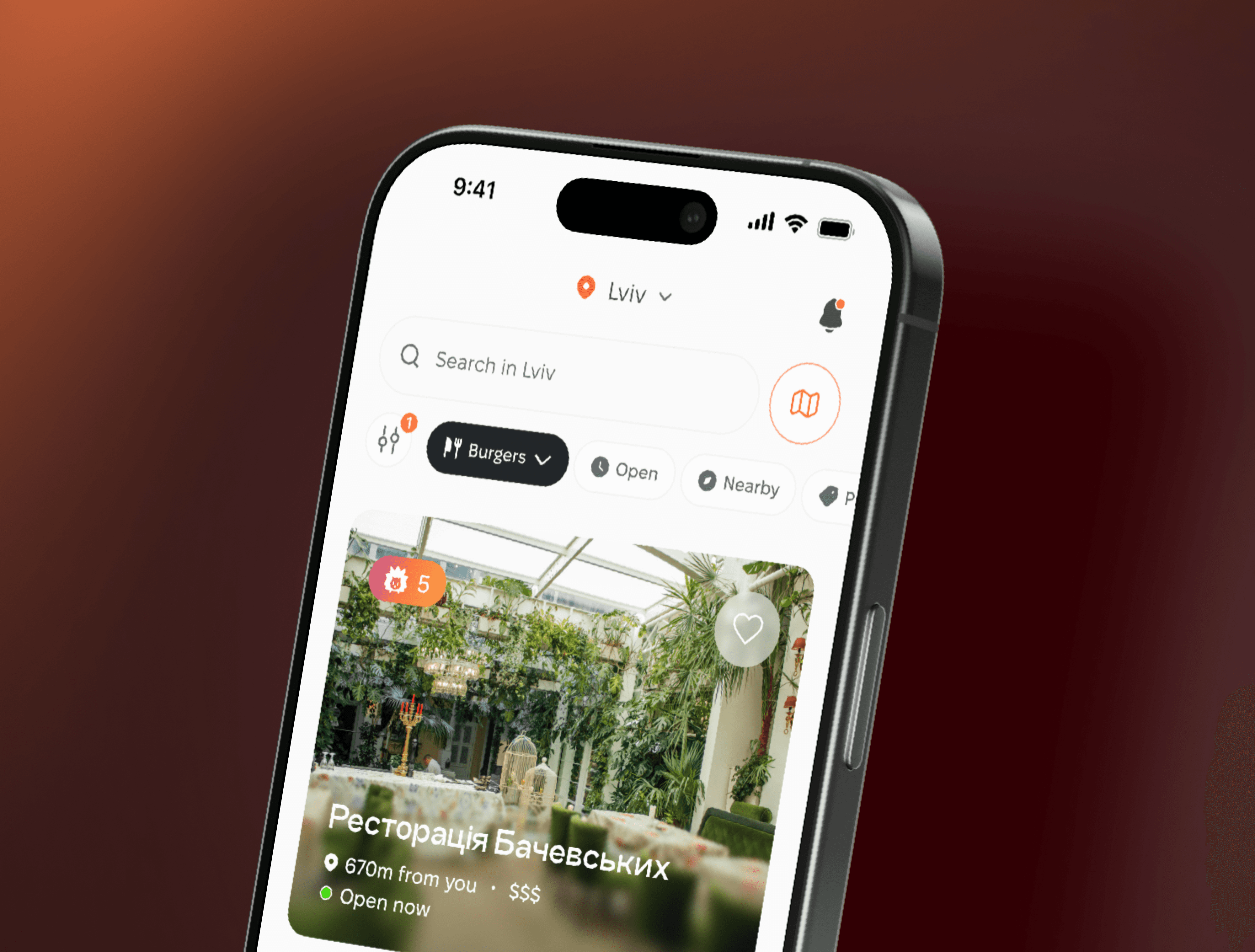
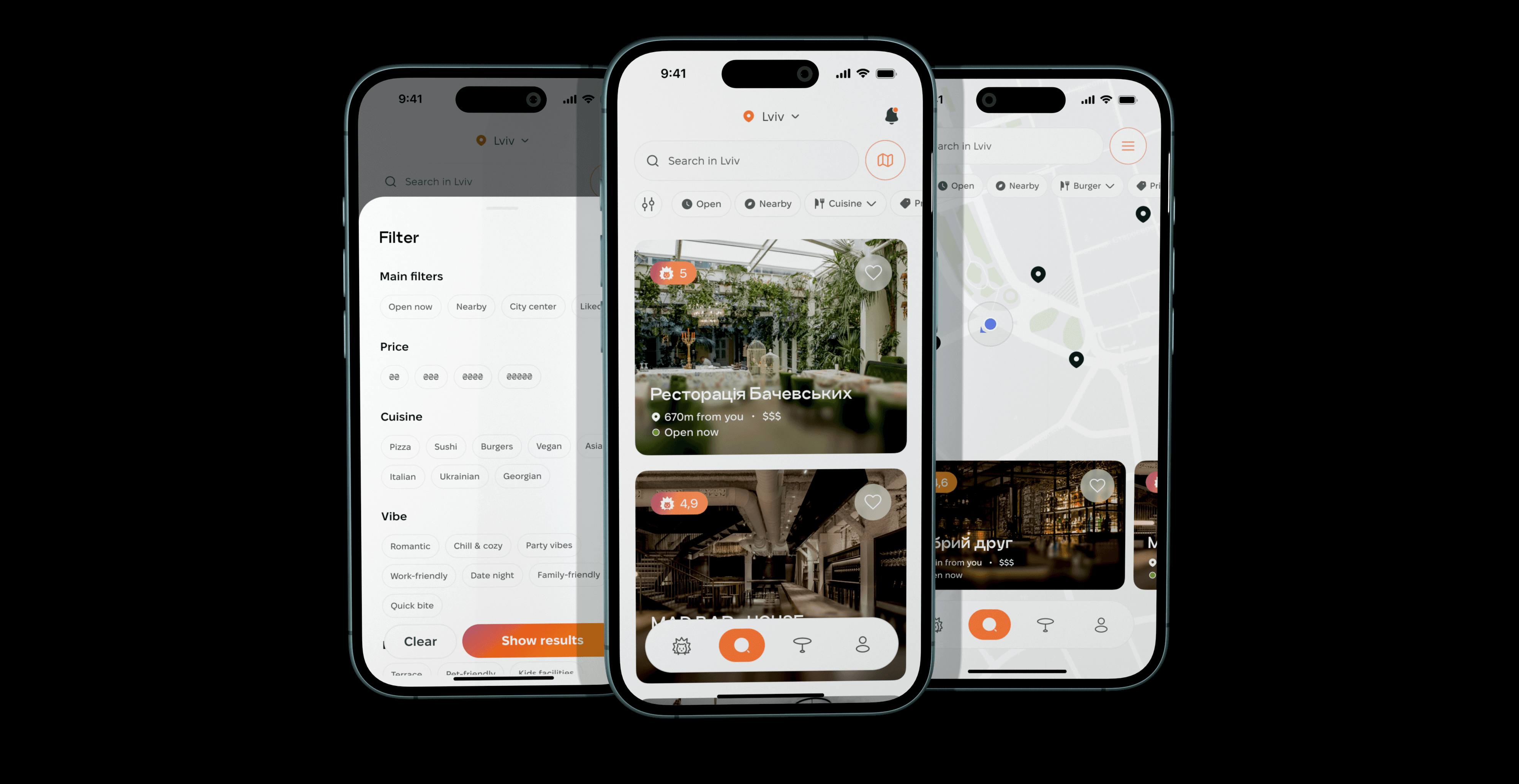
To bridge the gap between generic search and specific user intent, I developed a multi-layered filtering system. I prioritized a location-first hierarchy to match user behavior and added quick-action chips for common needs ("Open Now" or "Nearby”), allowing users to bypass the filter menu and reach their choice faster.
The intent-driven "Vibe" system reflects research showing that social occasions often outweigh cuisine. Tags like Date Night or Work-friendly align with real-world goals, while a granular modal handles specific criteria like price, cuisine, and amenities (e.g., pet-friendly, accessibility).
Finally, I implemented an integrated Map View to provide spatial context. This allows users to explore via location pins and restaurant previews without leaving the map or losing filter settings.
Restaurant Cards & Restaurant Info
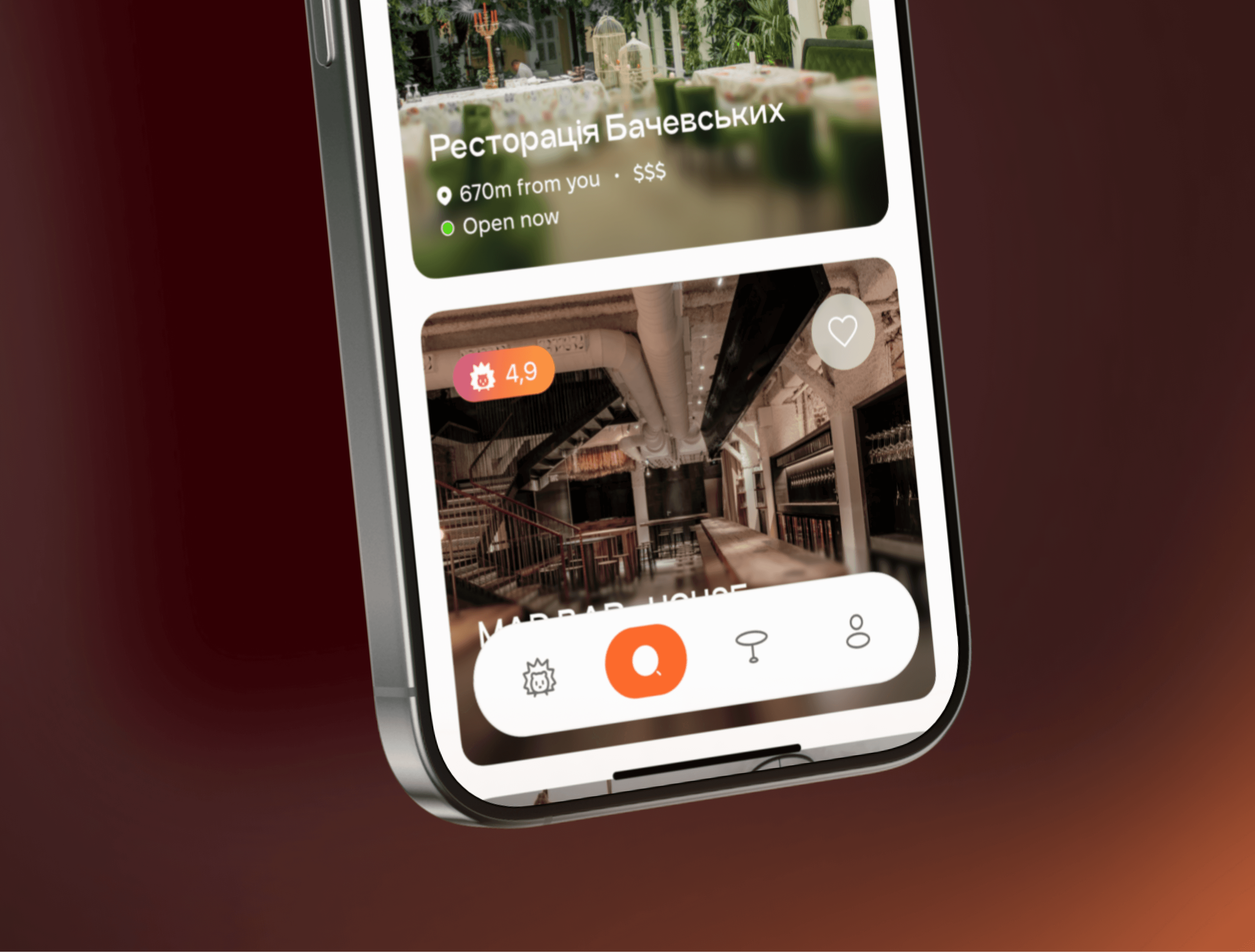
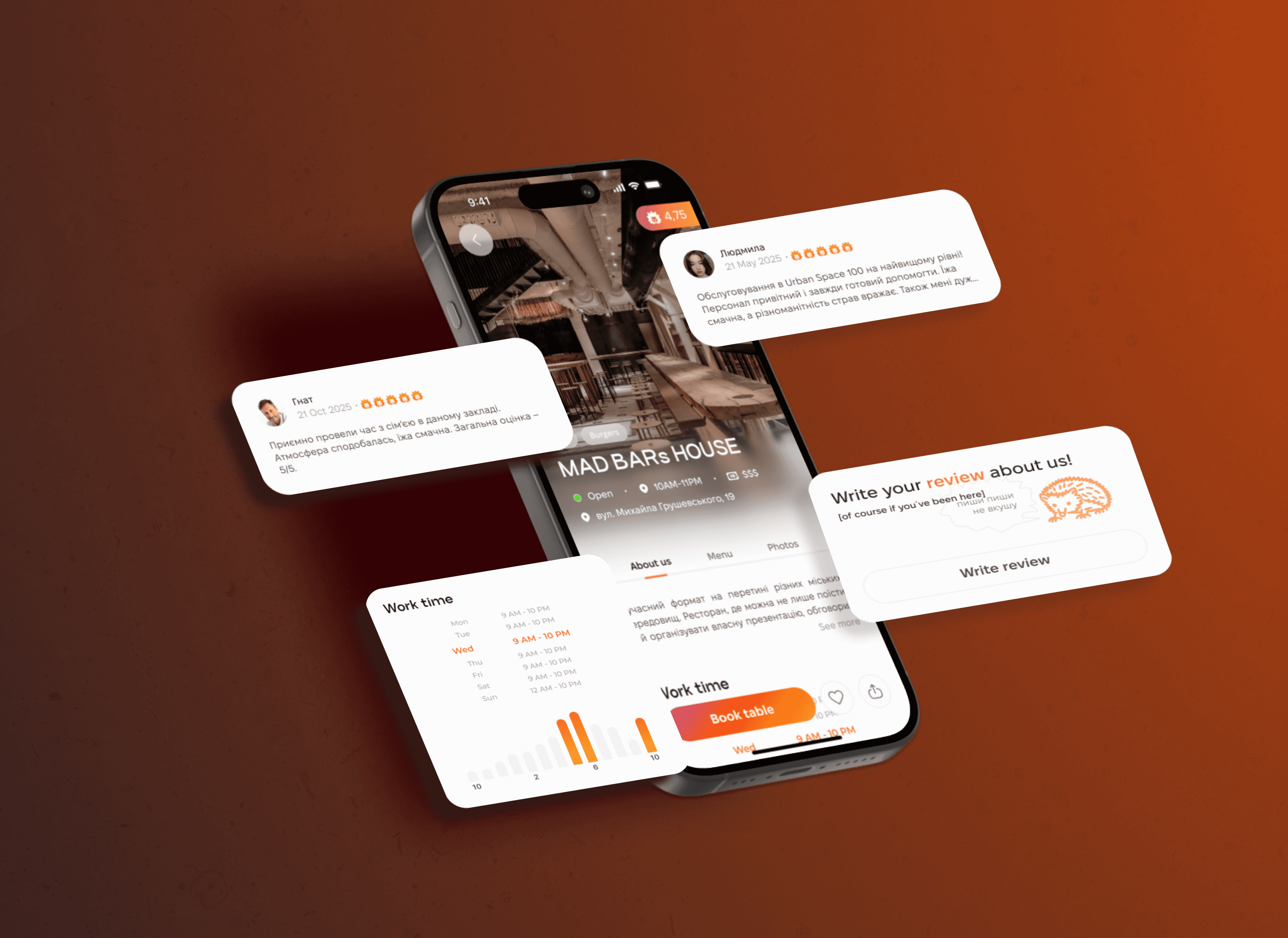
Restaurant cards display key decision factors at a glance: name, rating, location (distance/street), real-time status, price level, and favorites option.
A unified detail page consolidates all information to eliminate external searches and reduce booking drop-offs. The profile uses three tabs for depth without clutter: About (ratings, contact, reviews, peak-hours chart), Menu (categorized with ingredients), and Photos (professional + user content capturing authentic atmosphere).
A sticky "Book Table" CTA ensures frictionless conversion from browsing to booking.
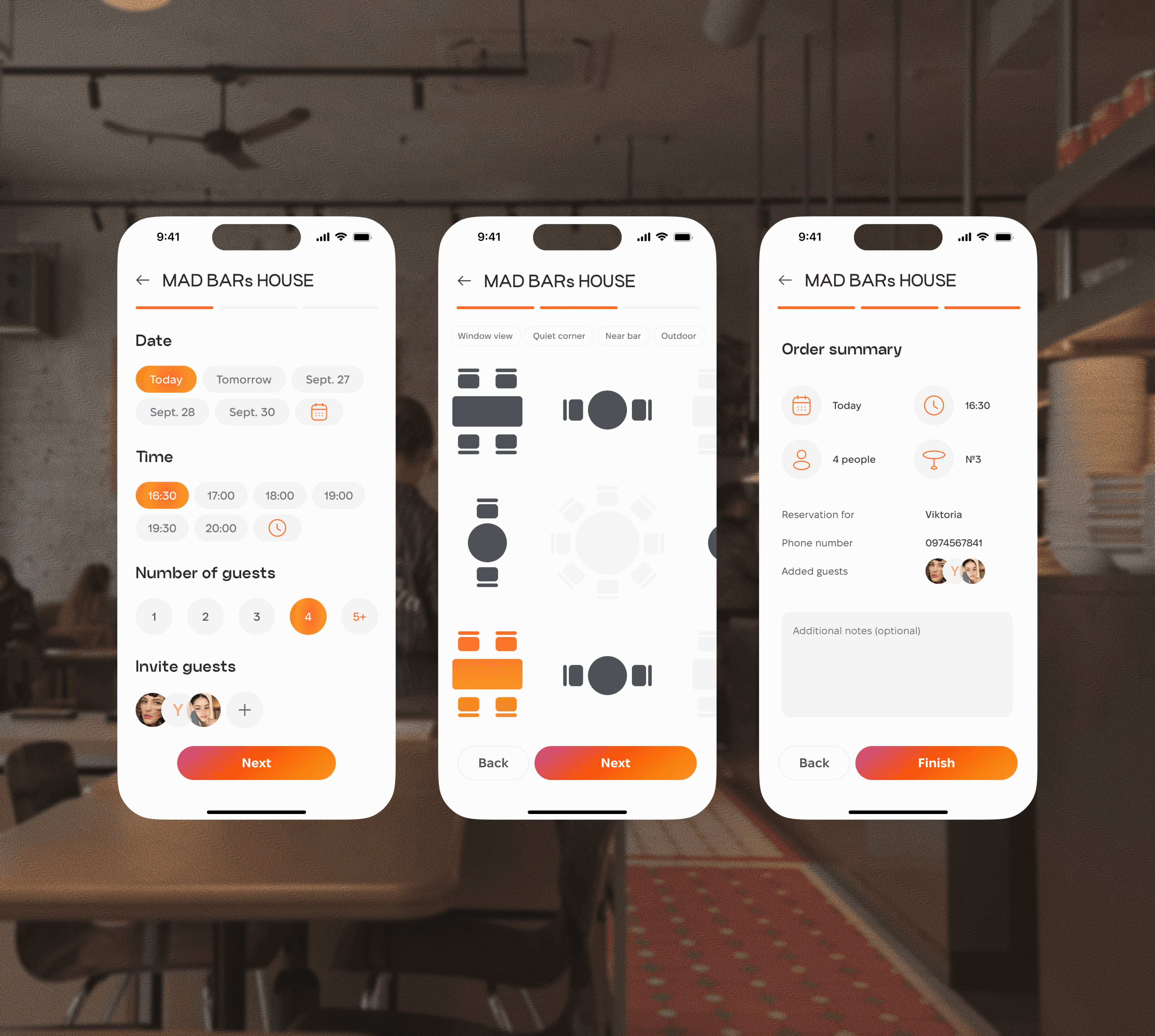
Seamless 3-Step Booking Flow
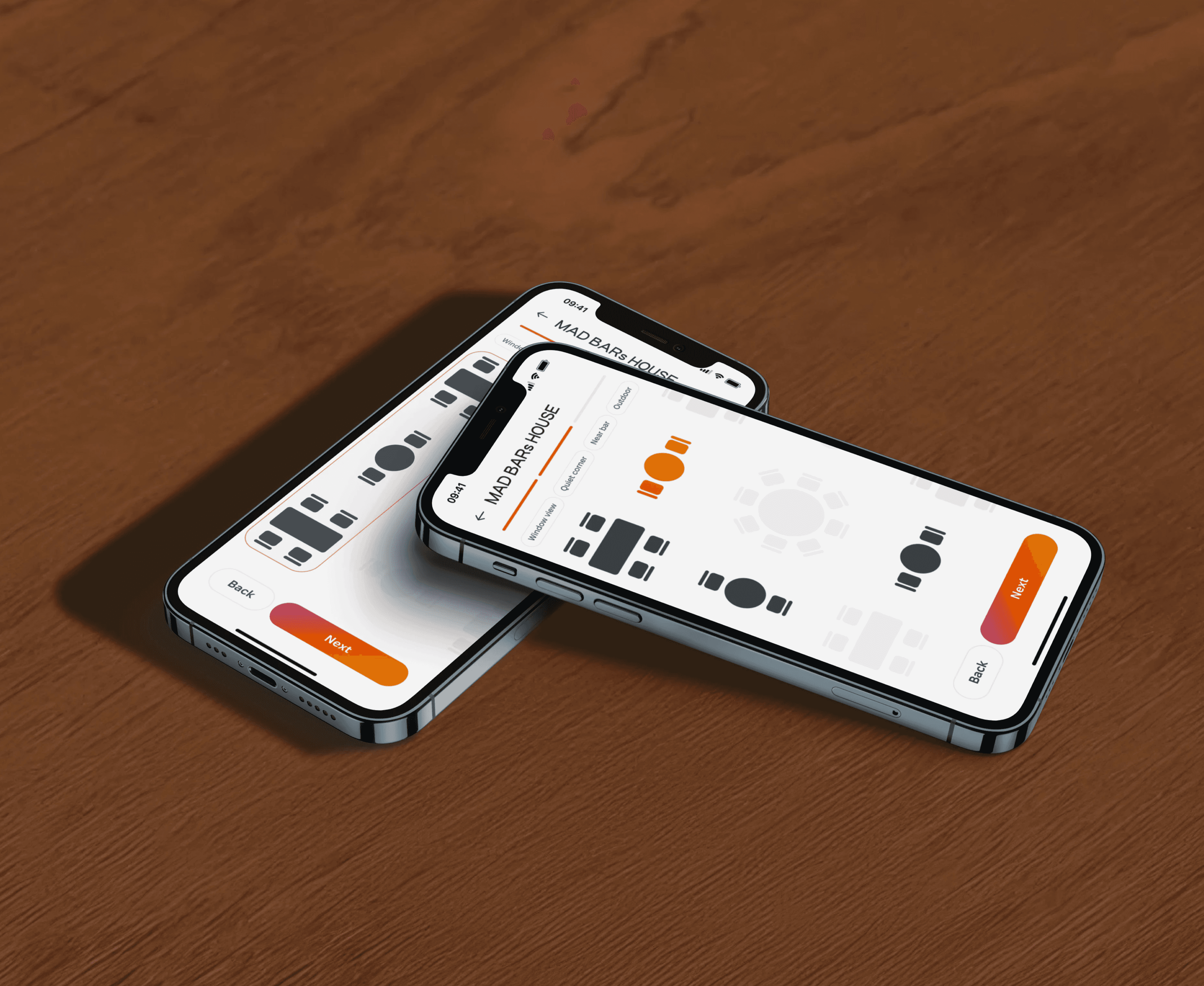
The booking flow is condensed into three automated steps to minimize effort and abandonment, with all essential actions on one screen:
Step 1 - Core Essentials — fast selection of date, time, guest count, plus an "Invite Friends" feature for social engagement.
Step 2 - Spatial Selection — interactive seating map with real-time layout and quick-action chips for preferences (Window view, Quiet corner, Near bar, Outside).
Step 3 - Smart Summary — auto-filled profile data, guest avatars, and visual confirmation for one-tap completion.
For large companies, there is a modular table selection and guest invitation system that automates coordination.
Visual Style
The hedgehog mascot ("їжак" in Ukrainian) emerged from a playful wordplay on the app name: Eat It → sounds like "Eat Eat" → їж-їж (Ukrainian) → їжак (hedgehog). This clever link creates a strong mnemonic a memorable brand identity that stands out among generic booking apps.
The color palette centers on warm orange (food, energy, approachability), balanced by soft gray neutrals to reduce visual noise. Bright yellow and deep purple serve as accent colors for contrast and attention without overwhelming the interface.
Typography supports clarity and hierarchy: Craftwork Grotesk for headings (personality, confidence) and Fixel Display for body text and UI (readability, scannability), balancing expressiveness with everyday usability.